 Skip to content






What is DMARC?
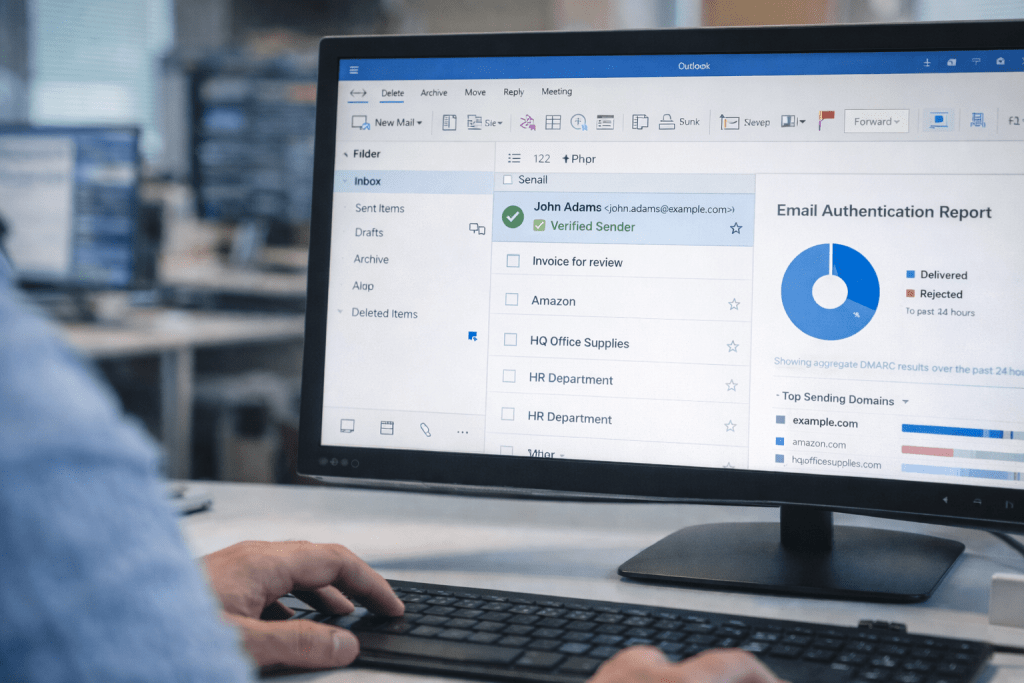
DMARC (Domain-based Message Authentication, Reporting, and Conformance) is a way for your organisation to tell the rest of the internet: “Only accept email messages that genuinely come from us, and if something looks fake, here’s what to do with it and how to report it.”
That sounds simple, but it solves a very real problem: anyone can forge the “From” name on an email. If you have ever seen a convincing “invoice”, “password reset”, or “urgent CEO request” that looked like it came from a real company, you have met the reason DMARC exists.
Business email compromise often relies on this lack of verification.
DMARC authentication is not a spam filter. It’s closer to brand protection for email, with measurable enforcement. It sits on top of SPF and DKIM records, and adds two big capabilities that those protocols don’t give you on their own:
- Alignment: it checks that the sender’s domain that your users see in the From field matches the domain authenticated via SPF and/or DKIM.
- Policy + reporting: it lets you publish a rule (monitor, quarantine, reject) and receive aggregate reports showing who is sending mail claiming to be you.
If you care about phishing risk, customer trust, and email deliverability, DMARC is one of those controls that feels “optional” right up until it isn’t.
If you require emergency incident response assistance, contact Zensec immediately. Our team uses advanced threat intelligence and network monitoring to contain threats and begin recovery operations.
The problem DMARC fixes (and why spoofing works)
Email was built for delivery, not security. At a protocol level, a message has multiple “identities” floating around:
- The envelope sender (what mail servers use for routing and bounces)
- The From header (what humans see in Outlook, Gmail, mobile mail apps)
Attackers exploit the gap. They can make an email look like it came from email@yourcompany.co.uk in the From: header, even if it didn’t come from your systems at all.
That’s why domain spoofing is so effective. The message doesn’t need to break into your Microsoft 365 or Google Workspace to impersonate you. It just needs to be convincing enough for the recipient to act.
SPF vs DKIM vs DMARC Policy (how they fit together)
To understand DMARC, you need a quick mental model of SPF and DKIM. The easiest analogy is “envelope vs letter”.
SPF: checks the envelope
SPF (Sender Policy Framework) enables domain owners to publish which mail servers are allowed to send email for that domain. Receivers can check: “Did this email come from an IP address that this domain allows?”
The catch is that SPF primarily authenticates the path the email took, and it can fail with forwarding, mailing lists, or more complex mail flows. Also, SPF authentication does not necessarily mean the human-visible From domain is trustworthy.
DKIM: checks the letter
DKIM (DomainKeys Identified Mail) signs parts of the message using cryptography. The receiver verifies the digital signature using a public key published in DNS. It helps prove the message was not altered in transit and that a domain took responsibility for signing it.
The catch is operational: DKIM can fail when intermediaries modify messages (e.g., adding disclaimers, changing subjects, rewriting content, etc.). And the signing domain can be different from the From domain unless you enforce domain alignment.
DMARC: makes SPF and DKIM matter to humans
DMARC ties these together by focusing on the authenticated domain in the From header (the one your staff and customers actually see and trust).
For DMARC to pass, either SPF or DKIM must pass, and whichever one passes must also be aligned with the From domain.
This is the key idea a lot of organisations miss:
A message can be SPF-pass or DKIM-pass and still be DMARC-fail if it is not aligned.
What DMARC actually does
A DMARC record is a DNS record published as a TXT record:
That DNS DMARC record tells receiving email servers three things:
- What to do when that email fails authentication or alignment
- Where to send reporting data (aggregate, and optionally forensic-style failure reports)
- How strict alignment should be (strict vs relaxed)
The three policy modes are:
p=none (monitor)
This tells receivers: “Don’t block anything based on DMARC, but send me reports.”
Think of it as a sensible starting point for implementing DMARC, not a finishing point.
p=quarantine (contain)
This tells receivers: “If it fails DMARC, treat it as suspicious.” In practice, that usually means spam folders or quarantine.
Good for staged rollouts where you want a safety net before full blocking.
p=reject (block)
This tells receivers: “If it fails DMARC, do not deliver it.”
This is what “protected” looks like. If you want to stop spoofing at scale, you eventually need to reach this point, as it’s the final step in an email authentication protocol.
The part that makes DMARC domain alignment powerful
Alignment is DMARC’s way of preventing a common attacker trick: authenticating a message with one domain while displaying another in the From field.
DMARC alignment rules check whether:
- SPF alignment: the domain used in the SMTP MAIL FROM aligns with the From header domain
- DKIM alignment: the DKIM d= signing domain aligns with the From header domain
There are two alignment modes:
- Relaxed: organisational domains match (for example, mail.yourdomain.com aligns with yourdomain.com)
- Strict: exact match only
Most organisations start with relaxed alignment because strict alignment can be unforgiving in real-world setups, especially when using subdomains, multiple sending services, or legacy systems.
DMARC reporting: the underrated feature
DMARC reports are where the “grown-up” value is.
Once you publish DMARC with an aggregate reporting address (rua), mailbox providers send you summary data (often daily) showing:
- Which IPs are sending mail that claims to be your domain
- SPF/DKIM pass or fail rates
- Email authentication pass or fail rates
- What receiving mail servers do with the email (how they handle messages)
In plain terms: you get visibility into your real email landscape, including senders you forgot about, senders a department quietly set up years ago, and attempts to impersonate your brand.
This is why DMARC is both an email security control and an email validation system.
One honest warning: DMARC reports are not “human-friendly” out of the box. They are usually XML and get noisy fast. Most organisations either use a platform to parse them or accept that someone internal will spend time turning raw reporting into actions.
A staged DMARC rollout that does not break your business
If you have ever heard “DMARC breaks email”, what people usually mean is “we flipped to reject without understanding our senders.” That’s not a DMARC problem. That’s a rollout problem.
Here’s the pragmatic approach we recommend.
Step 1: inventory your legitimate senders
List anything that sends an email as you:
- Microsoft 365 / Google Workspace / Any other email client you use
- CRM and marketing tools (HubSpot, Mailchimp, Salesforce, etc.)
- Support and ticketing systems
- Finance and invoicing platforms
- Website and app transactional mail
- Any third-party sending “on behalf of” your domain
These are your legitimate email senders.
Step 2: Get SPF and DKIM in place for the major senders
- SPF: authorise the sending sources you actually use
- DKIM: enable signing wherever possible, especially for third-party services
Keep it tidy and ensure your email senders are correctly configured. Overgrown SPF records and random DKIM selectors nobody owns are how good intentions turn into brittle email.
Step 3: publish DMARC in monitor mode (p=none)
This gives you data on email-based attacks without disrupting delivery.
Step 4: fix alignment failures and unknown sources
Use reports to answer two questions:
- Which failures are legitimate senders that need to be configured?
- Which failures are abuse and should be blocked?
Step 5: move to quarantine, then reject
Step up your email security. Go to quarantine when you are confident that most legitimate mail passes DMARC. Go to reject when you are confident you have closed the gaps.
If you want to be extra cautious, DMARC supports percentage-based rollout so you can apply enforcement to a slice of failing mail first.
Common DMARC pitfalls (the ones we see in the real world)
“We set up DMARC, but spoofing still happens”
If your policy is p=none, you are watching spoofing, not stopping it. Monitoring is a phase, not protection.
Third-party senders are the usual culprit
Most DMARC pain comes from perfectly legitimate tools that are misconfigured. Marketing platforms are frequent offenders because they send large volumes, and teams change vendors without cleaning up DNS records.
Forwarding and mailing lists can cause false failures
SPF commonly fails through forwarders. DKIM can be compromised if anything modifies the message. DMARC can still succeed if at least one aligned mechanism survives, but indirect mail flows are where you see the edge cases.
Subdomains and “invented” subdomains
Attackers like making up subdomains that look plausible, like billing.yourdomain.com. DMARC has mechanisms to help here, but only if you set a policy that actually enforces something.
Reports can create operational debt
If you publish reporting addresses and never review the data, you have created a signal that no one monitors. That’s not fatal, but it is wasted value.
DMARC and deliverability (a practical view)
People sometimes pitch DMARC as a deliverability hack. That framing is half true and half marketing.
What’s true:
- Authentication tells receiving mail servers whether they can trust a message.
- Clean, aligned authentication reduces the odds of legitimate mail being treated as suspicious.
- A domain with strong DMARC enforcement is harder to weaponise for phishing, which protects your brand reputation.
What DMARC does not do:
- It doesn’t make bad content “good”.
- It doesn’t fix list hygiene, spam complaints, or poor sender reputation by itself.
In our view, DMARC is not a growth tactic. It is baseline hygiene. If email matters to your business, it belongs in the same bucket as patching and MFA: not exciting, just necessary.
What “good” looks like (some opinion)
If you take one opinion from this article, let it be this:
If your domain is customer-facing, a long-term p=none DMARC policy is like installing a great alarm system and leaving the front door unlocked.
A mature posture usually looks like:
- DMARC policy at reject for the primary organisational domain
- DKIM enabled for core mail systems and major third-party senders
- SPF records are kept minimal and maintained, not “one more include forever”
- Reports reviewed on a cadence, even if it’s monthly
- Clear ownership: someone is responsible for email authentication, not “IT in general”
This is not perfection. It’s just harder to impersonate than the average target.
How DMARC records fit into a wider security programme and what you can do
Email authentication is one control, and it is only one layer. Attackers do not stop at spoofing. They exploit weak points across identity, endpoints, cloud apps, and misconfigurations.
If you want this handled as part of a broader, ongoing risk-reduction programme, DMARC fits neatly into continuous attack surface reduction. The same discipline you apply to patching and configuration drift applies here too: discover, remediate, monitor, repeat.
That’s why we often treat email authentication findings as part of vulnerability management, not as a one-off DNS tweak. If you want a structured way to prevent these issues from recurring whenever a new tool is onboarded, take a look at our vulnerability management service.